Files, terminal, live metrics and container orchestration for every server you run — down to the shell inside the container.
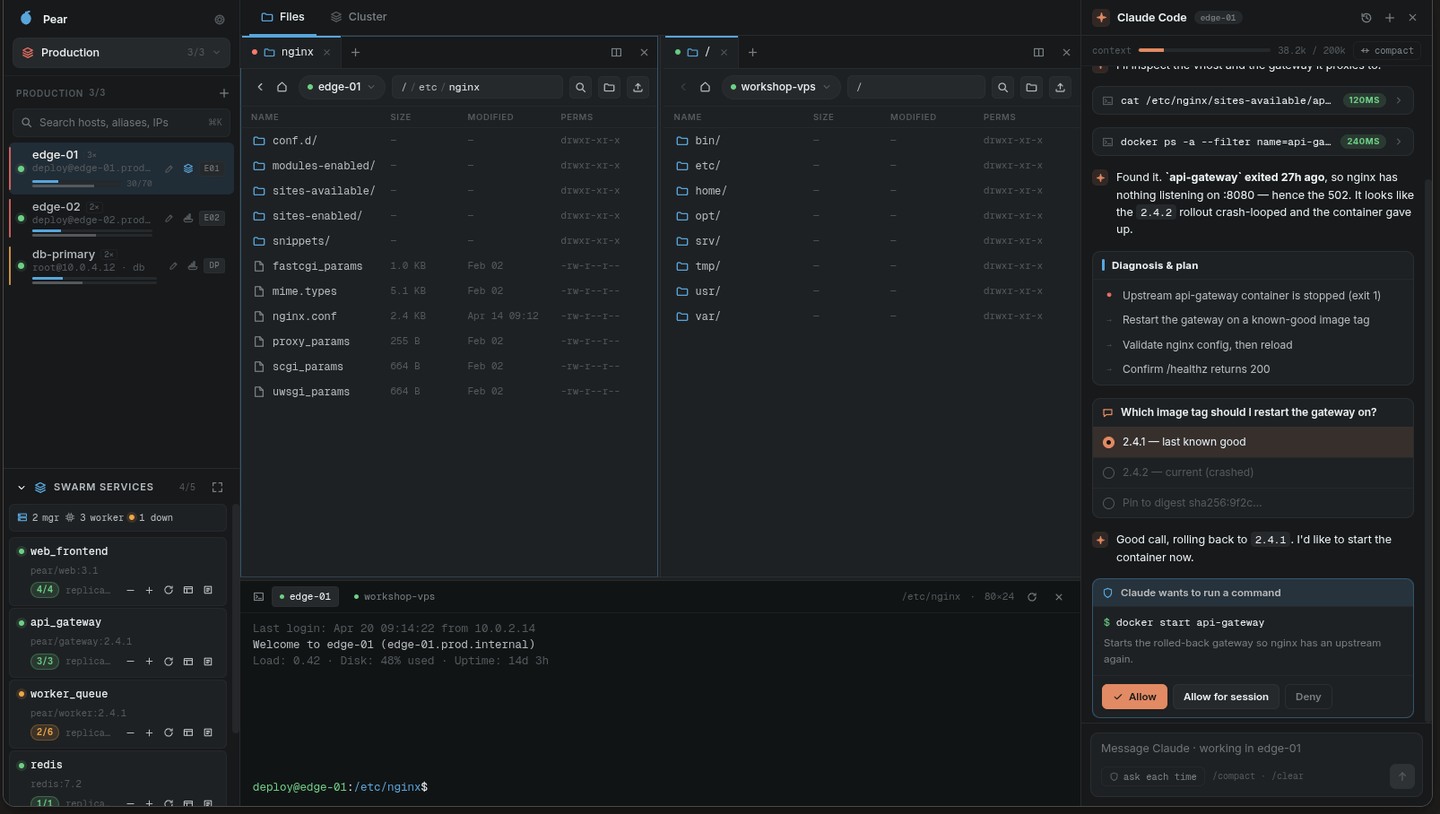
Shell, SFTP and exec multiplexed over a single SSH connection per host.
Docker, Swarm and Proxmox detected on connect — the dashboard reshapes itself.
One polling loop for vitals. You pick the interval, or turn it off.
No account, no sync, no telemetry. Keys stay in your OS keychain.
Connection manager, split-pane SFTP, editor, terminal, resource monitor and container dashboard — in one keyboard-fast workspace.
Group hosts into colour-coded workspaces. A host can live in several. Recents and quick connect sit on top.
Tabbed panes, split side by side. Drag a file from prod to the homelab box; right-click for the rest.
A real PTY per host — shared dock, per host, or inside a pane. The shell follows the directory you're browsing.
Syntax highlighting and line numbers for nginx, systemd units, JSON, YAML and shell. Works the same inside a container.
/etc/nginx/sites-available/api.pear.sh
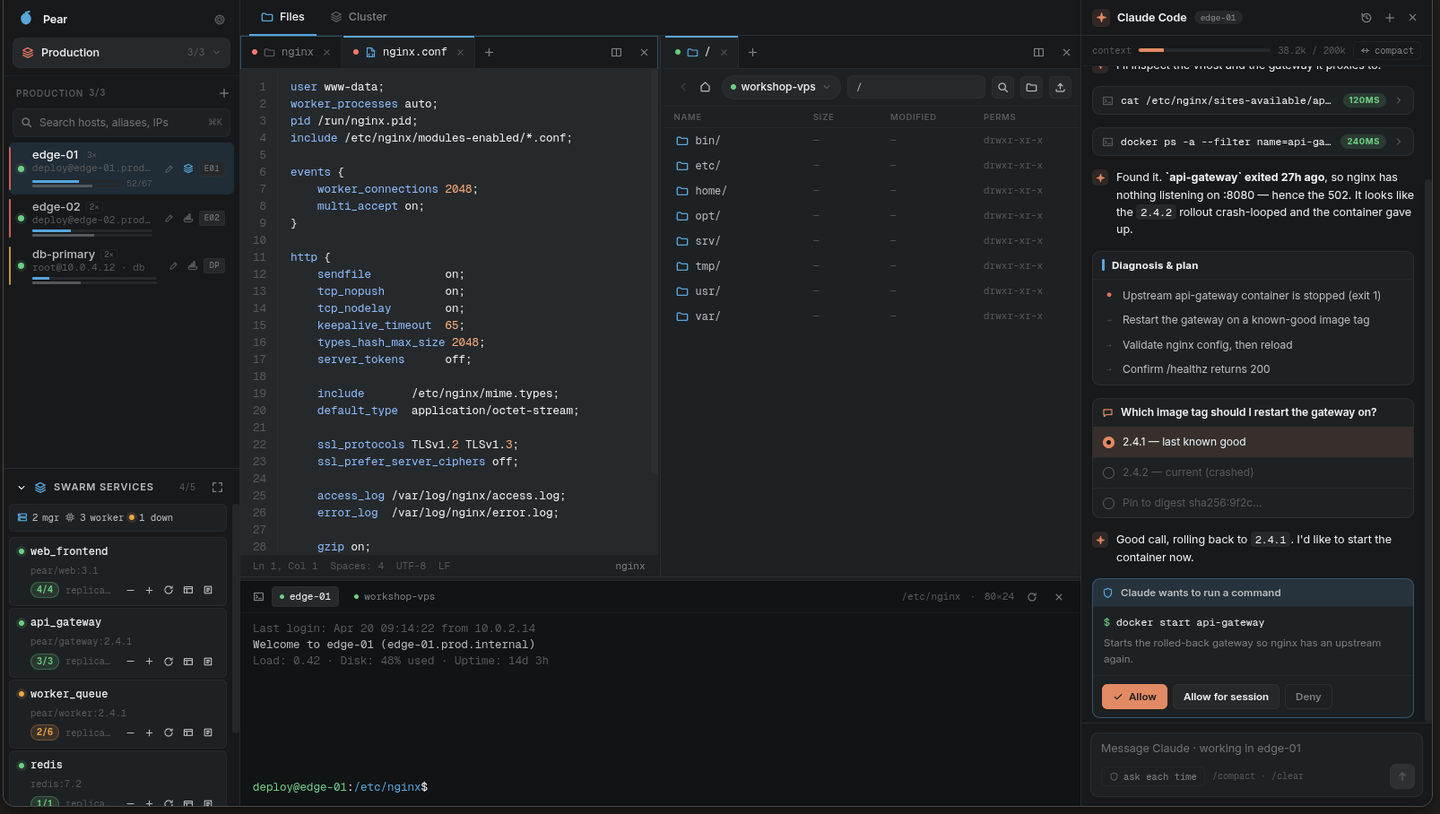
Per-core CPU, memory, load, network and every mount — plus micro-meters under each host row and per-container stats.
Nothing buffered in memory. Same-host is a server-side move; cross-host streams through you, with optional SHA-256 that fails the job on mismatch.
An ordered endpoint list per host, tried one at a time — first success wins.
Set a host's via and Pear multiplexes shell, exec and SFTP through it — a real forwardOut channel, not ssh -J. Chains work, and via-hosts nest under their bastion.
The local PC sits in the same tree with no SSH involved — native PTY, local file browsing, and a valid source or target for transfers. Relay prod → laptop → homelab in one queue.
Pear probes the host on connect and builds the dashboard that fits what it found.
ssh connect→docker info→swarm?→pvesh?→dashboard 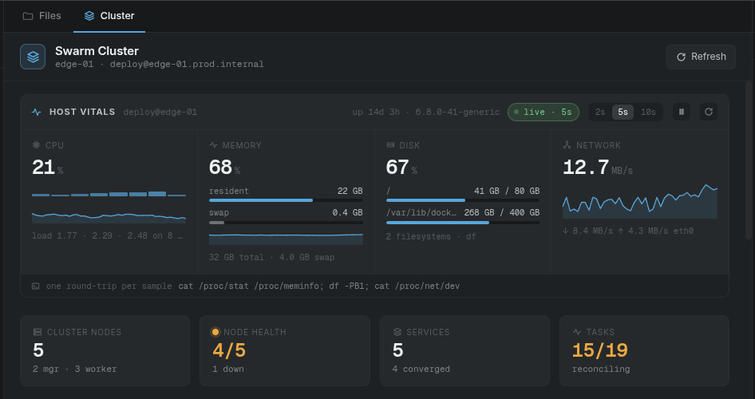
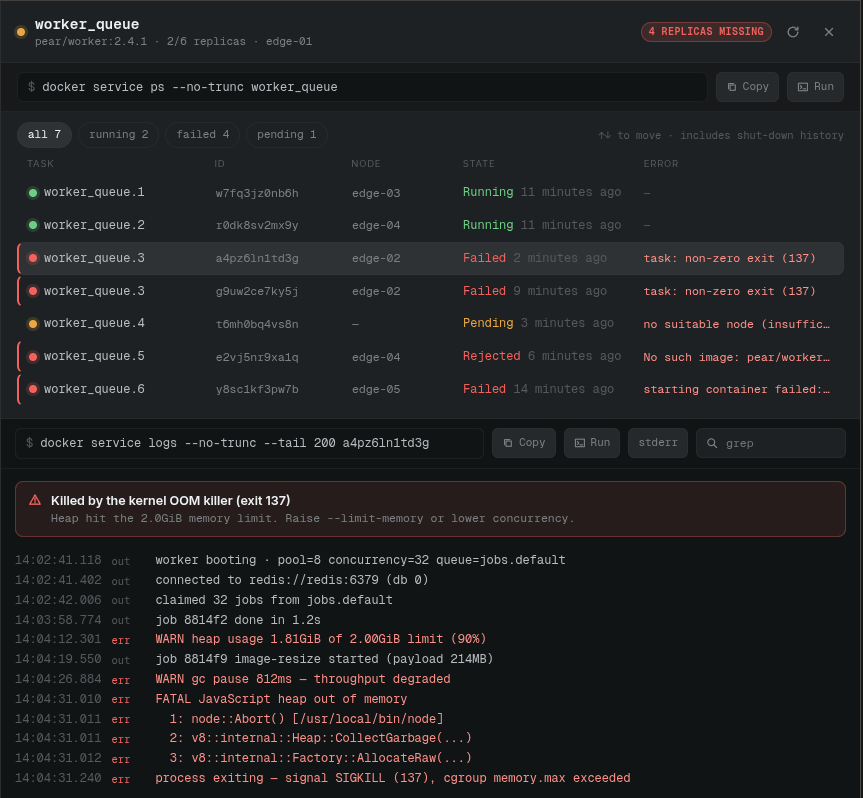
Hit Jump in on any container or guest and you get a full workspace in it, reusing the parent's SSH connection. The sub-host holds no credentials of its own.
It's recursive. A container inside an LXC guest inside a Proxmox node is just a deeper breadcrumb — and one SSH connection at the bottom of it.
Sub-hosts vanish on disconnect. Pin one and it stays in the tree — open terminals and editors keep working.
A QEMU VM has no exec tunnel. Pear finds its IP via the guest agent and opens real SSH tunneled through the node — or a serial console (qm terminal) when there's no agent.
Files stage through the parent, never shell-encoded. No shell in the image? You get told — has no shell (distroless?) — not a blank pane.
Claude Code runs as your own local CLI on your own subscription — Pear never sees those credentials. It reaches your hosts only through Pear's tools, on a loopback-only MCP server with a fresh token per run.
Every tool run shown — the exact command and its output, timed to the millisecond.
Ask each time or grant a session. Nothing restarts or deletes without your yes.
Structured diagnoses, and a real question when there's a real choice to make.
Claude's own Bash stays on your laptop. Server-side goes through Pear's audited tools.
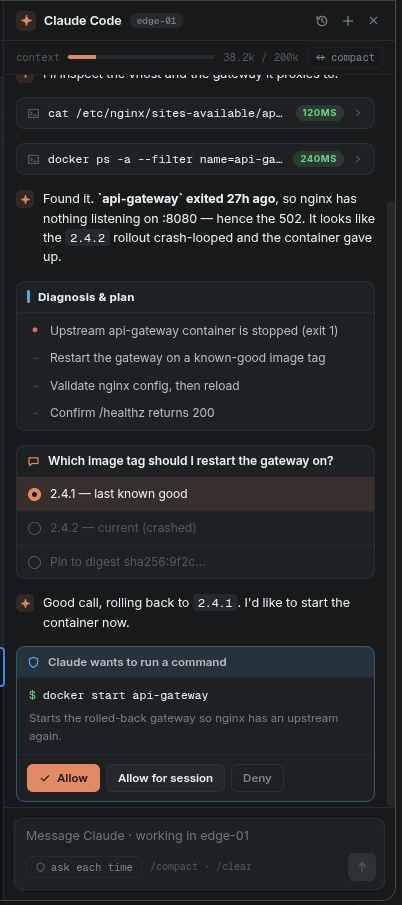
exposed on 127.0.0.1 only · random bearer token per run · over the SSH connections Pear already holds open
Hosts, files, containers, terminal and the Claude dock, reflowed for a phone and for a tablet's two-column split.
Android · in closed testingWant early access? request a testing invite — a Google account email is all it takes.
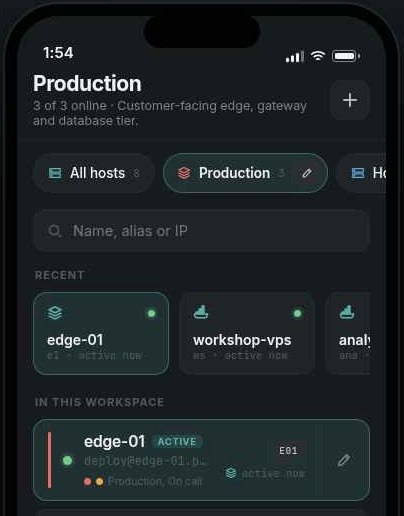
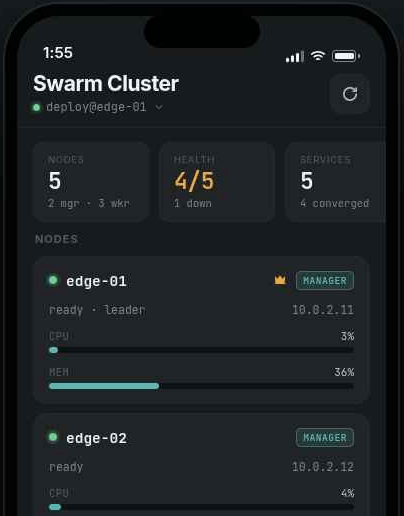
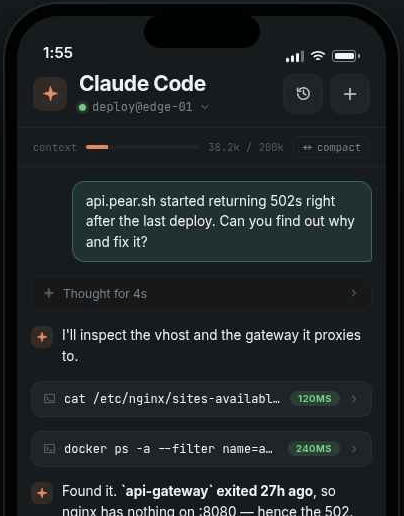
No account, no server, no sync. Hosts, keys and settings exist only on your machine.
Passwords, passphrases and private keys go through Electron safeStorage — Keychain, DPAPI, libsecret.
The interface process sees a "has a secret" flag. Not the plaintext, not even the ciphertext.
No real keyring on the box? Pear won't write a weakly-obfuscated secret to disk and call it safe. It prompts you at connect.
Linux and Windows builds today. macOS needs someone with a Mac to build it.
All builds live on GitHub Releases · Android is in closed testing on Google Play — request an invite.
 Pear
Pear